Publishing a Website With No Public IP (And No Attack Surface)


Recently, I needed to publish a simple website for a small community, nothing fancy, but I didn’t want to open any unnecessary holes. I wanted it secure. I also wanted caching to save bandwidth and CPU (cheap hosting).
I wanted to do all of this while minimising the risk as much as possible.
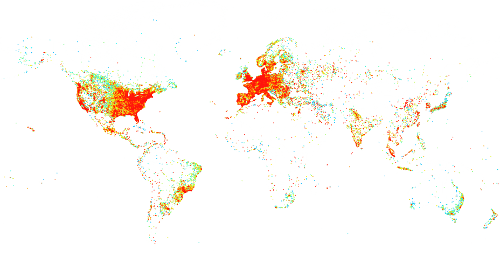
The internet is great, but it’s also a minefield. Every time you put something online, you're opening a door. If that door’s badly configured or if you don't even know what door you just opened, you're asking to get hacked. And I’ve seen it happen more times than I can count.
People spin up virtual machines, assign public IPs, and unknowingly publish all sorts of stuff to the internet, including admin ports (RDP, SSH), insecure database servers, or services they didn’t even realize were running. Once those services are exposed, they'll be detected, scanned continuously, accessed, brute forced, exploited, and eventually compromised when a patch is missed or a configuration goes awry.
A couple of quick examples to prove the point that it's easy to expose vulnerable things to the internet:
 The Hacker News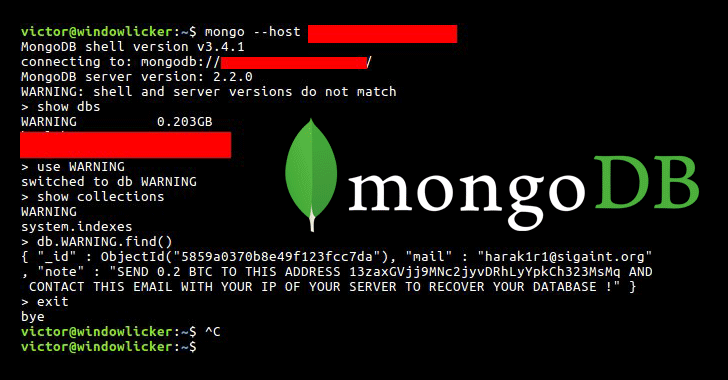
 Bill Toulas
It's easy to see that a secure-by-default approach is needed.
We could go about deploying this in public cloud, provisioning AWS ALB or Azure Application Gateway, or even a load balancer in our datacenter - but this just adds more cost and maintenance headache to our very simple needs.
Enter Cloudflare.
If you’ve used it, you know why I like it. If you haven’t: Cloudflare offers DNS hosting, a global CDN, free TLS (with certs trusted by every browser), caching, WAF, DDoS protection, and more - all for free. There are paid tiers, but honestly, the free tier covers a lot.
One of my favourite features is Cloudflare Zero Trust.
With it, I can publish a website without opening any ports on my VM or even needing a public IP address at all 😄 No public IP, no exposed services, nothing for hackers to scan 😄 No open RDP or SSH ports. No "oops I left dev.example.com running with no auth."
Cloudflare Zero Trust creates a secure tunnel between my VM and Cloudflare, handles all incoming requests, TLS, DDoS attacks, caches the static content, and my server logs aren't filling with unnecessary brute force attempts or the usual 'drive by' exploitation attempts made by people and their scanning tools. Looks a bit like this:
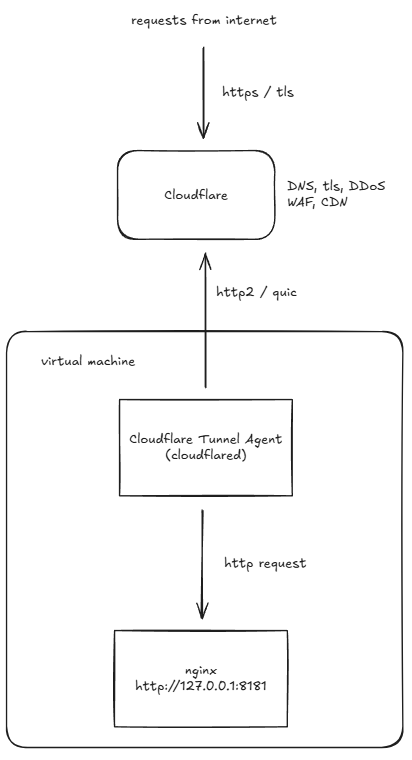
Here’s the process:
- Get a VM and install a web server
It can be Nginx, Apache, Tomcat, whatever, as long as it’s listening locally (loopback interface, 127.0.0.1). Usual process: apt install httpd, put your content in /var/www/html, don't open any firewall ports. I'm not going to cover that here, but DigitalOcean have a guide (https://www.digitalocean.com/community/tutorials/how-to-install-nginx-on-ubuntu-22-04)... just skip the firewall part.
- Onboard your domain to Cloudflare.
That means updating your domain's nameservers at your registrar to point to Cloudflare. This will differ per registrar, Cloudflare have a nice guide (https://developers.cloudflare.com/dns/nameservers/update-nameservers/)
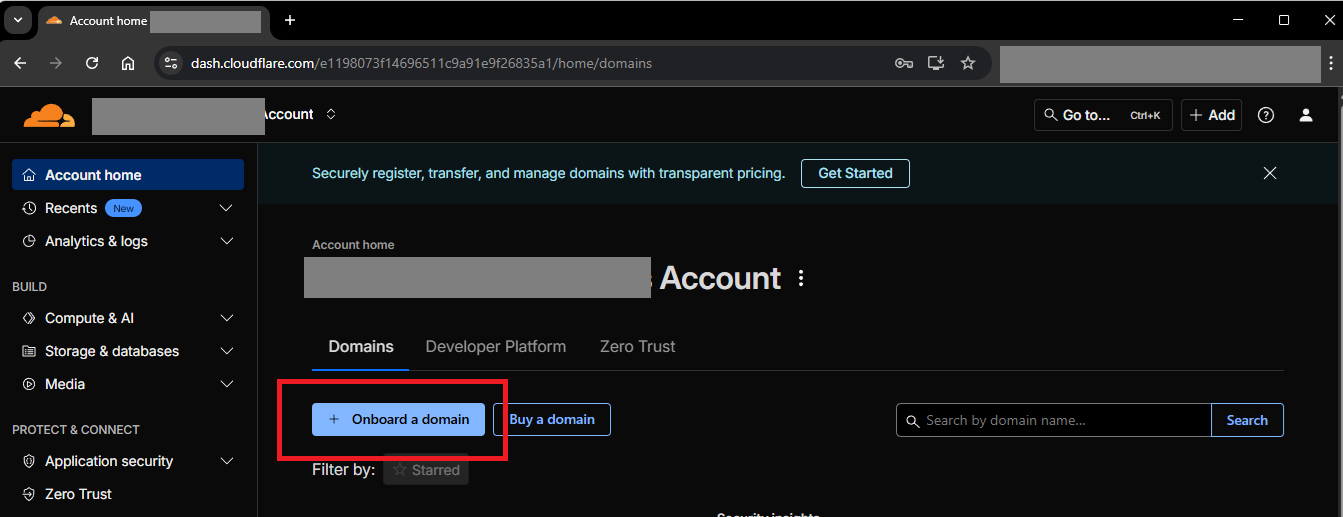
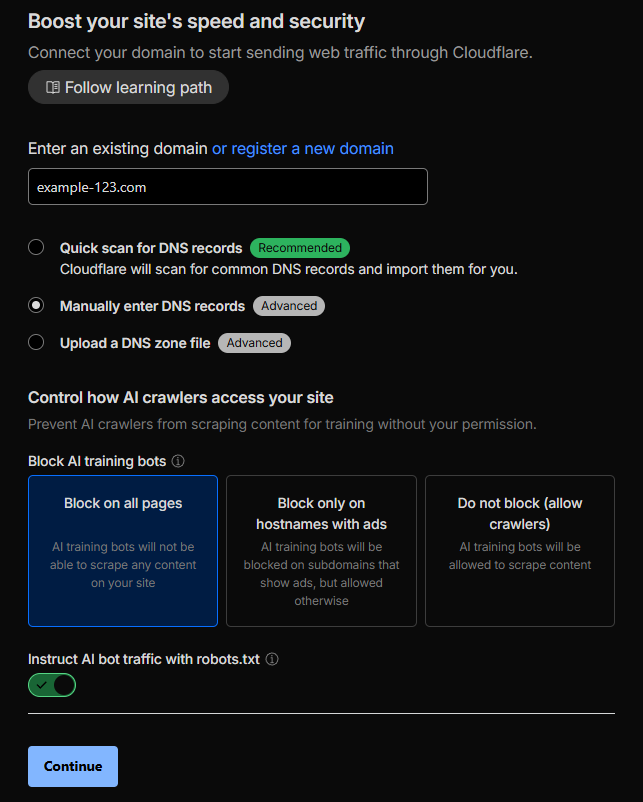
- Enable Zero Trust in the Cloudflare dashboard and set up a Cloudflare Tunnel.
The Zero Trust panel is (currently) located under your account, and not under any domain (this is cross-domain feature).
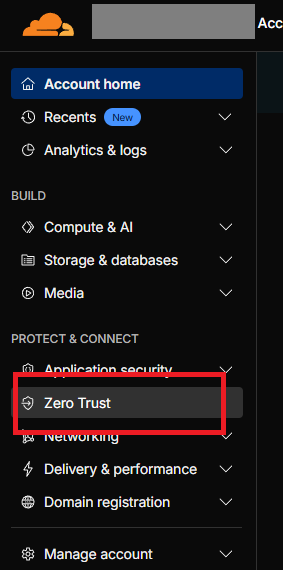
The feature we want to use is called "Tunnels", as it creates a tunnel between Cloudflare and the machine serving our webpage. Cloudflare say:
Connect your resources to Cloudflare without a publicly routable IP address. Create a cloudflared Tunnel for outbound-only connections to applications and networks, or use the WARP connector for advanced, bidirectional use cases.
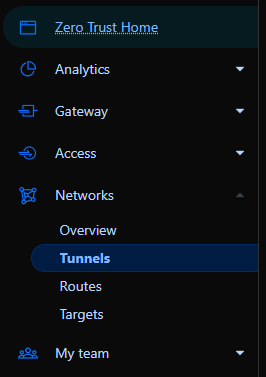
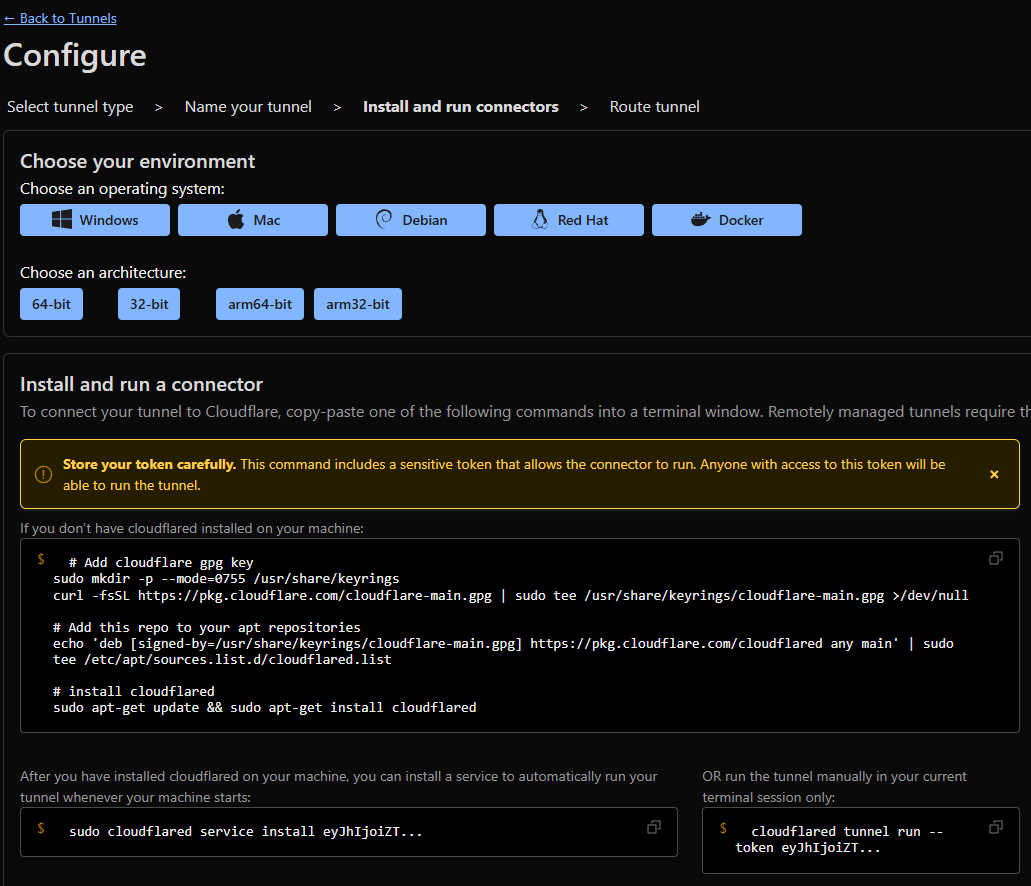
We want to create a tunnel by installing Cloudflared on our virtual machine to connect it to Cloudflare.
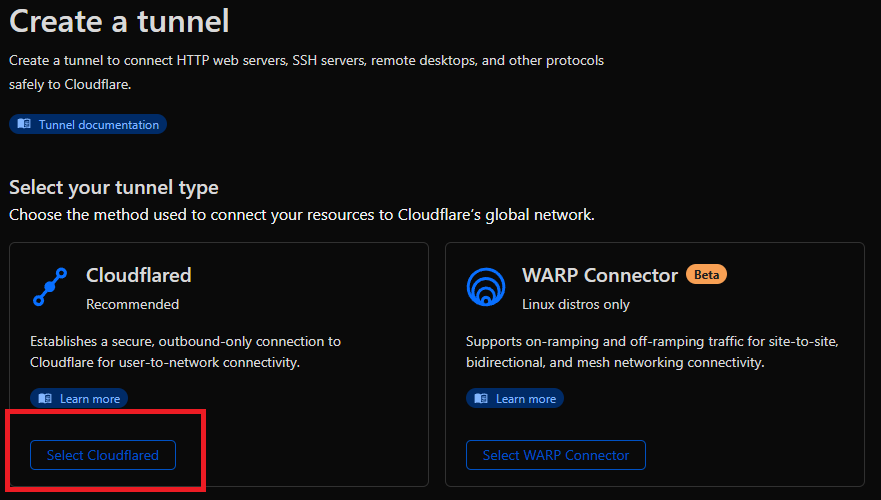
Cloudflared is available for most platforms, just select your OS and architecture, and follow the installation instructions.
In my use-case I'm installing cloudflared on an Ubuntu (Debian) 64-bit x86 virtual machine from DigitalOcean, and then installing the service to have it automatically start with the OS.
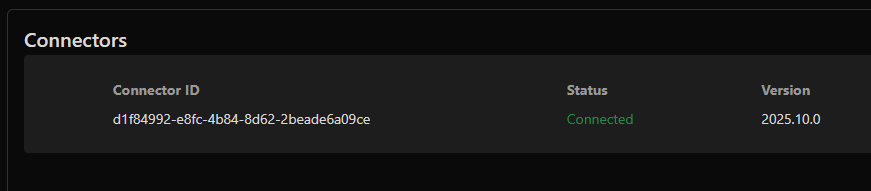
Once that's completed, you'll see the connector is online:
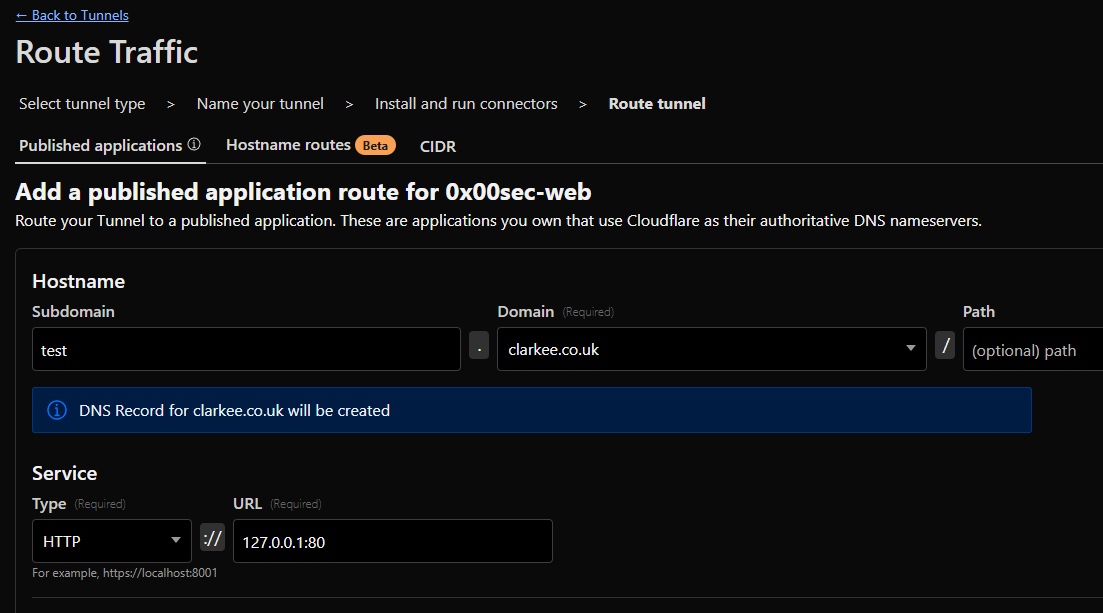
The last thing to do is to publish our application / web page through the tunnel to the internet.
Specify your subdomain and domain, Cloudflare will automagically create your DNS records.
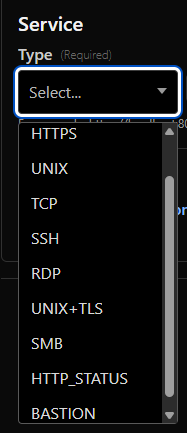
Finally you have to specify the the location of the service you want to publish, relative to the location of the Cloudflared agent. In my case, Cloudflared is on the same machine as the website, so I'm pointing it at http://127.0.0.1:80 (TCP port 80 on the loopback interface).
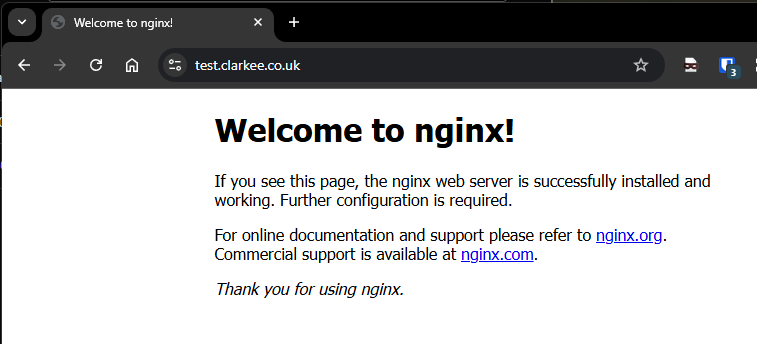
- Test that it's all working!
Make a web request to the address you configured in Cloudflare (subdomain.domain) and see our lovely (default) web page.
No open ports. No unnecessary exposure. And you get all the goodies—CDN, WAF, caching, and DDoS protection without touching iptables or reverse proxies.
Other thoughts?
Cloudflare Zero Trust can do a billion other things, including requiring authentication to access the web page or application. You can even publish non-HTTP/S services which I've previously used for remotely SSH'ing into servers.
I haven't explored the other features which appear to be growing by the day: IdP integration, client posture management and experience tracking, session logging, data loss prevention, CASB, and more.