Assume Breach, Detect Early: The Power of Canaries
Why canary signals outperform conventional detection and reduce mean-time-to-discovery


In the 1990s and early 2000s, security was heavily focused around prevention. Firewalls, anti-virus, and perimeter defences were the main strategy to keep attackers out.
That view shifted after worms like Slammer and Blaster ripped through global networks. It became clear that a huge, interconnected world full of complex and (sometimes vulnerable) software meant breaches were inevitable. Government and intelligence communities adapted first with a simple idea: assume the adversary is already inside. The corporate world followed, and Microsoft’s 2002 Trustworthy Computing initiative pushed secure by design, a tacit acknowledgement that attackers will get in, which leads to the inevitable position that detection and response matters as much as prevention.
Today we talk about operational resilience, but the foundation is the same. Build systems and networks that keep running even when parts fail, attackers get in, or something breaks. Doing that well depends on strong architecture, working recovery processes, and enough visibility to spot trouble early.
If we accept that most networks have blind spots, leaked credentials, unmanaged devices, and unknown software, the need for layered security becomes clear. Even the most mature environments get compromised. Which is why controls that deliver clear, high-value signals are so important.
One of my favourite detective controls is the canary. Like the birds once used in mines, canaries in a network exist for one purpose: to warn when something unseen is happening. They mimic regular systems; file servers, AD controllers, web or FTP hosts, or simple SSH and RDP endpoints, the difference being that no legitimate user should ever touch them. Any interaction is a strong indicator that someone is inside your network who should not be.
Canaries also align cleanly with requirements for mature detection capability from regulators and security frameworks. NIST CSF monitoring controls, NIST 800-53 explicit honeypot references, UK NCSC "advanced detection mechanisms" and even GDPR article 32 - all of them point towards having the ability to spot suspicious internal behaviour and attacker lateral movement. A canary gives you exactly that, with minimal operational cost once deployed.
So while nobody is forced to deploy a canary, it's one of the very few controls that delivers bang for your buck. If you're trying to improve your detection capability without adding complexity, this is a slam dunk.
Introducing Thinkst OpenCanary
OpenCanary is a multi-protocol network honeypot. It's primary use-case is to catch hackers after they've breached non-public networks. It has extremely low resource requirements and can be tweaked, modified, and extended.
To show how quick and easy it is, let's walk through a deployment of OpenCanary into a private network, emulating a device with Remote Desktop and FTP exposed. We'll then connect to the canary services and observe alerts generated.
First, we're going to need a Linux OS with Docker running. I'm using a RaspberryPi 5, but you could equally use a x64 machine or VM.
Install Docker
# Add Docker's official GPG key:
sudo apt update
sudo apt install ca-certificates curl
sudo install -m 0755 -d /etc/apt/keyrings
sudo curl -fsSL https://download.docker.com/linux/ubuntu/gpg -o /etc/apt/keyrings/docker.asc
sudo chmod a+r /etc/apt/keyrings/docker.asc

# Add the repository to Apt sources:
sudo tee /etc/apt/sources.list.d/docker.sources <<EOF
Types: deb
URIs: https://download.docker.com/linux/ubuntu
Suites: $(. /etc/os-release && echo "${UBUNTU_CODENAME:-$VERSION_CODENAME}")
Components: stable
Signed-By: /etc/apt/keyrings/docker.asc
EOF

sudo apt update
Adding the Docker APT repositories to our Debian based OS
Now we'll install docker and allow our user manage and deploy containers:
sudo apt install docker-ce docker-ce-cli containerd.io docker-buildx-plugin docker-compose-plugin jq -y

sudo usermod -aG docker $USER
Installing Docker Community Edition, and adding our non-privileged user to the docker group
Deploying OpenCanary
Since OpenCanary is "dockerised" the installation is quite easy.
# Clone the opencanary repository
git clone https://github.com/thinkst/opencanary

# Change directory
cd opencanary

# Edit the config file
cd opencanary
vi data/.opencanary.conf
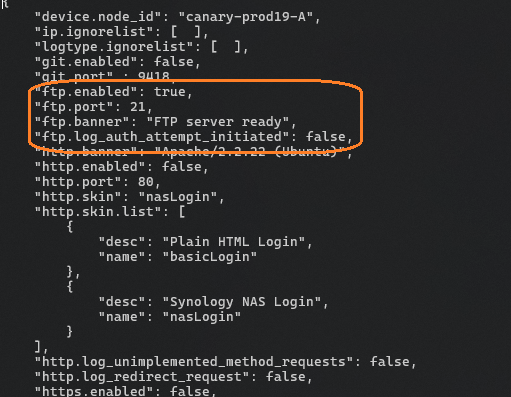
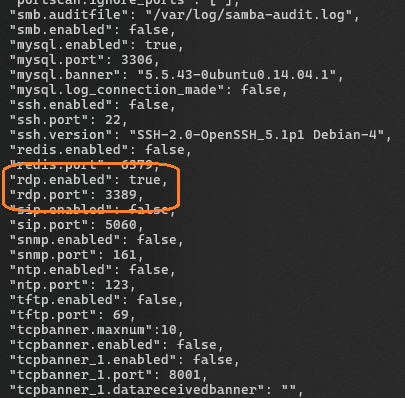
The top section of the configuration file should be edited to set the name of the honeypot to something identifiable (maybe the name of the network segment you're monitoring), and then you can enable / disable / configure a wide number of services available. Here we're only enabling FTP and RDP and leaving them on their default TCP ports.
When you're done, save the file and quit your editor (esc, :w :q 😉) and then start the container.
# start the container (run with --detach argument to run in background)
docker compose up latest
First Run
On first run, docker will download all of the layers making up the container. It shouldn't take longer than a couple of minutes.
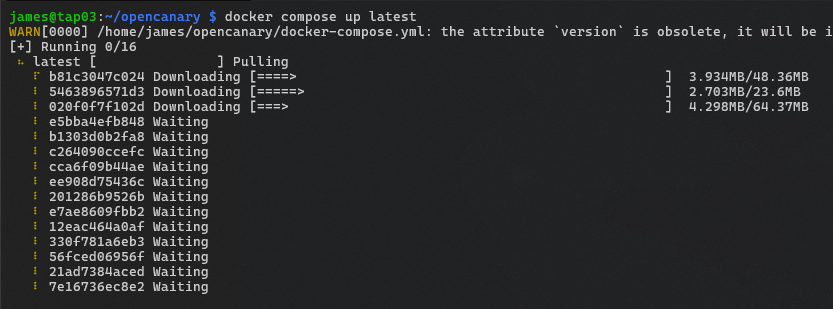
Eventually the container will be running and you'll see something similar to the below:
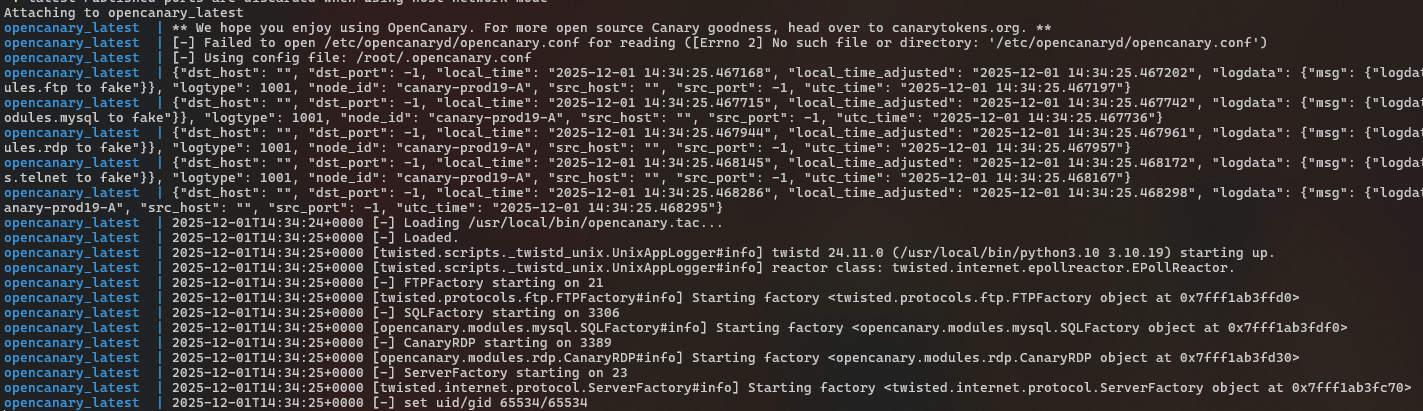
The container uses the host network configuration, so exposed services will be exposed to the attached network via the hosts network interface.
Proving it works
To show that the canary is working, let's connect over RDP using the native client:
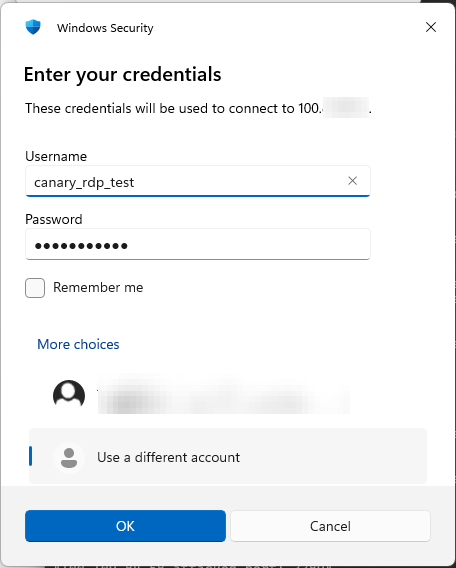
...and we'll see the following in the canary terminal

...repeated for FTP

Alerting & Logging
Better yet, there are logging integrations out-of-the-box, including syslog, and json over tcp which could be used to integrate the alerts to your SOC. I've integrated Discord using the Slack logger like this:
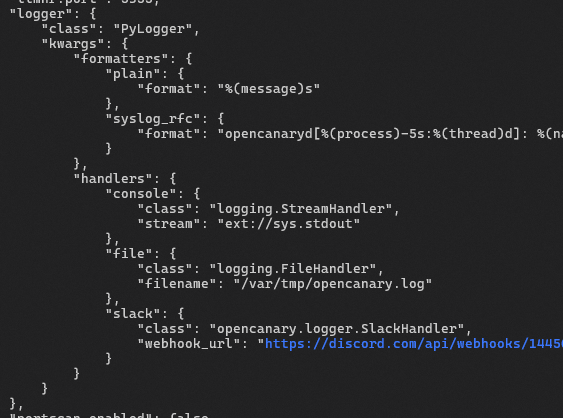
... and the alerts look like this:
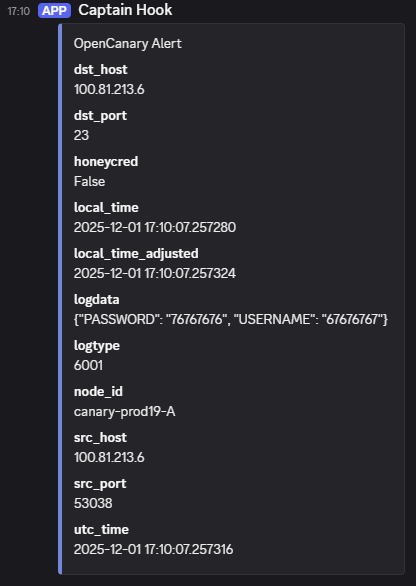
Now we can see how simple it is to deploy a basic OpenCanary instance to our private network to detect likely adversary activity, and integrate to our alerting system or SOC.
Go ahead and have a try yourself, and consider deploying some instances to your networks and see if you can detect badness 😄
About Thinkst
I think Thinkst are one of those awesome security companies that does their job really well and understand the value of community. They've always offered a whole range of free / open-source canary solutions for people who want to run their own, I'd highly recommend everybody checks out Canary Tokens which can be used to detect compromise through API token use, credit card theft, access to file servers, web pages, use of a QR code, restoration of a MySQL backup, PDF files being opened... litter them throughout your network and when one of these canary tokens is used, you know someone is likely doing something they shouldn't... or even put one of their PDF tokens on a USB stick labelled "Salaries", leave it lying in the car park, and wait to see how long it takes to get an alert :)
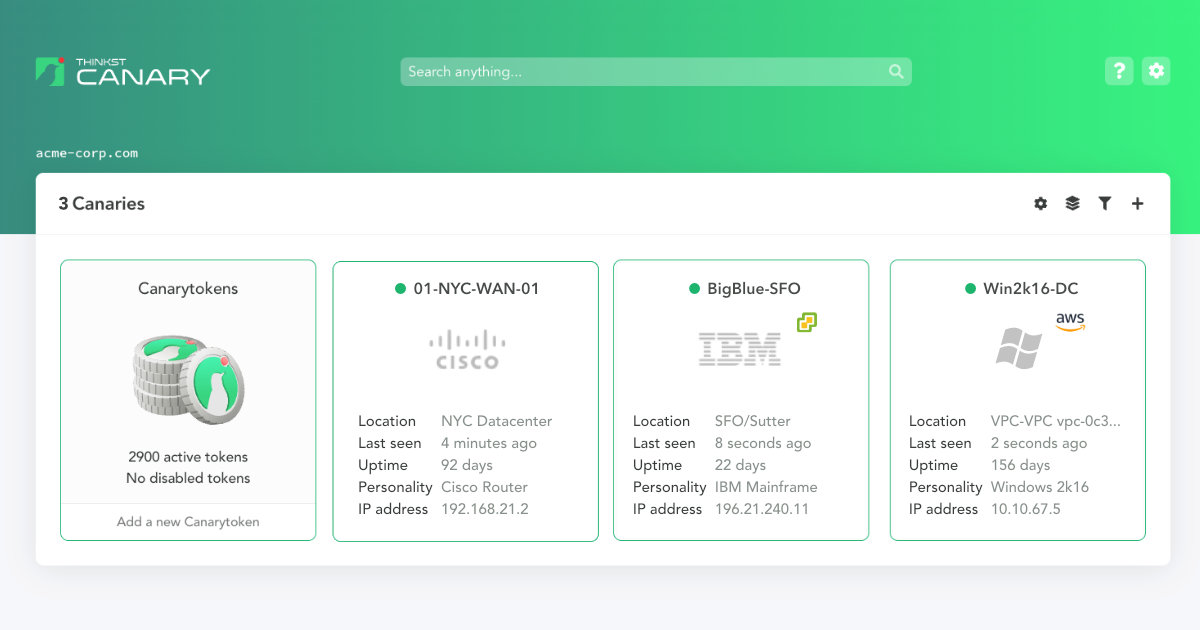
Of course they also have a commercial offering, the Thinkst Canary, a physical or virtual appliance which takes the same idea and makes it easier to deploy and operate at fleet scale. This includes configuration, alert routing, integrations, and fine grained device types to emulate real world devices, all through a nicely polished dashboard running in an isolated tenant so you know your security data is safe! Check them out today!
References / additional reading

 thinkst
 thinkst


 Thinkst Applied Research
 Contributors to Wikimedia projects